
Track Screen Time on Windows PC and Understand Where Time Goes
Get clear Windows screen time reports, track app and website usage, categorize apps, and receive AI productivity tips for better work habits.
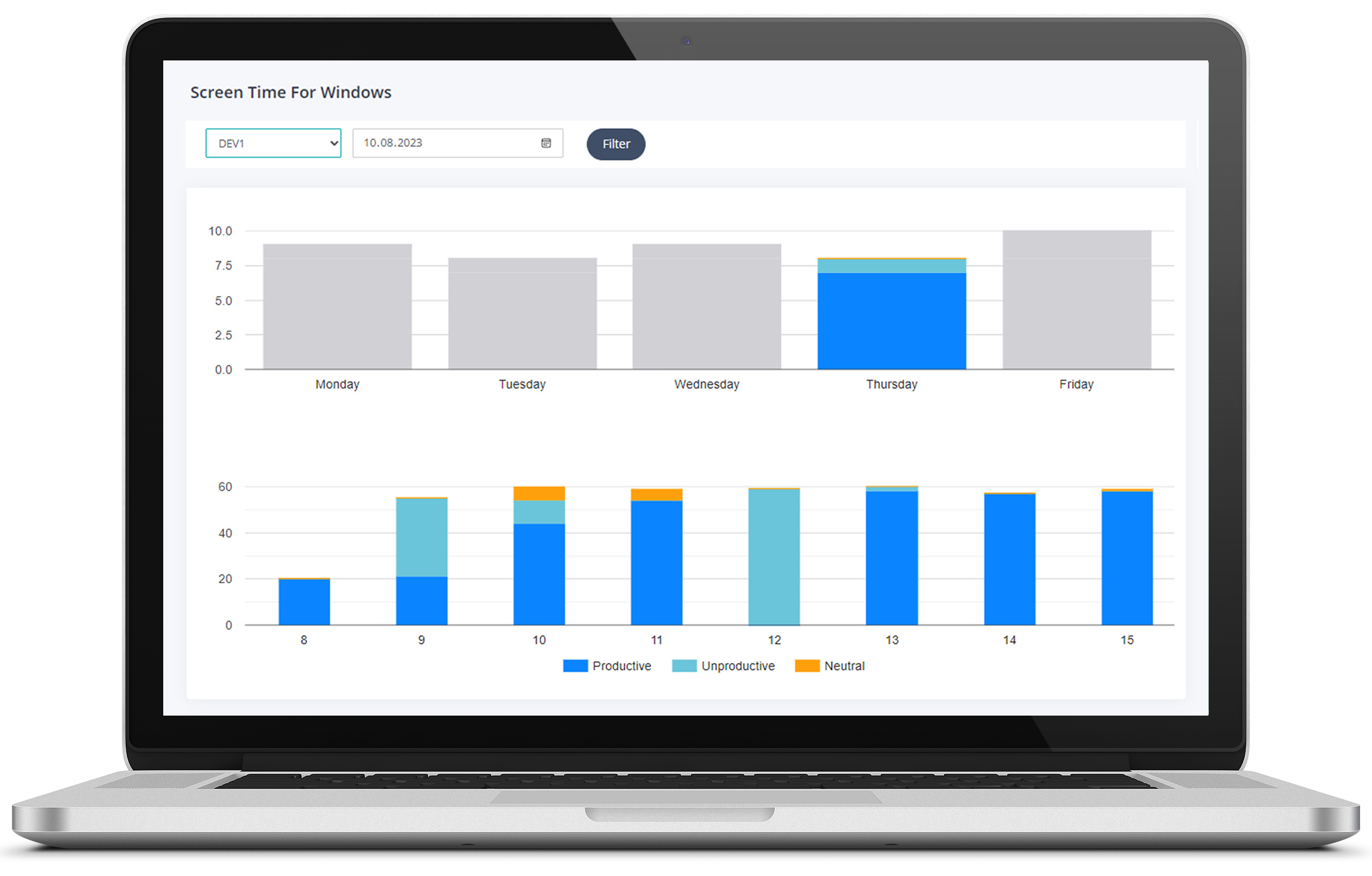
Screen Time insights for focused Windows work.
Understand app and website usage, productivity categorization, and AI-backed suggestions in one Windows-first workflow.
Daily and Hourly Reports
Check your computer usage by the month, week, day, or hour in the reports section.
AI Productivity Tips.
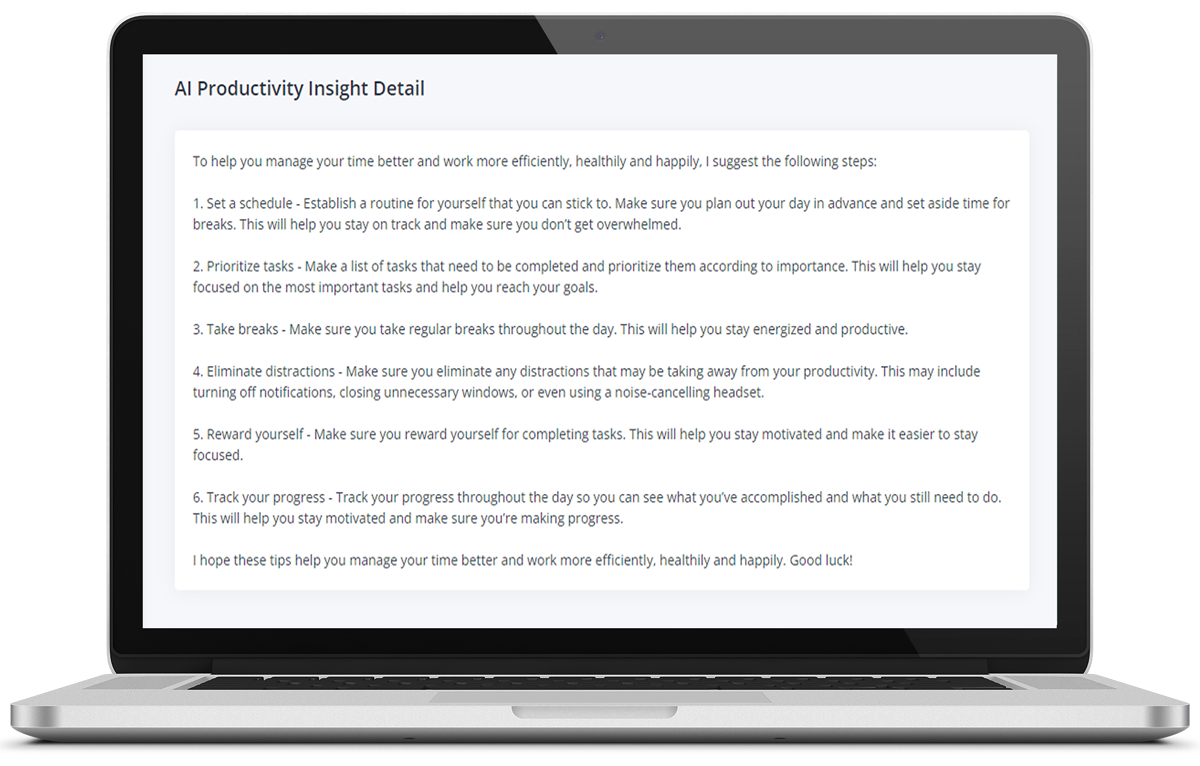
Screen Time for Windows uses AI to analyze your data from the past week and gives you tips to improve your productivity.
App Categorization
Label apps as productive, unproductive, or neutral to get clearer reports for your work habits and team visibility.
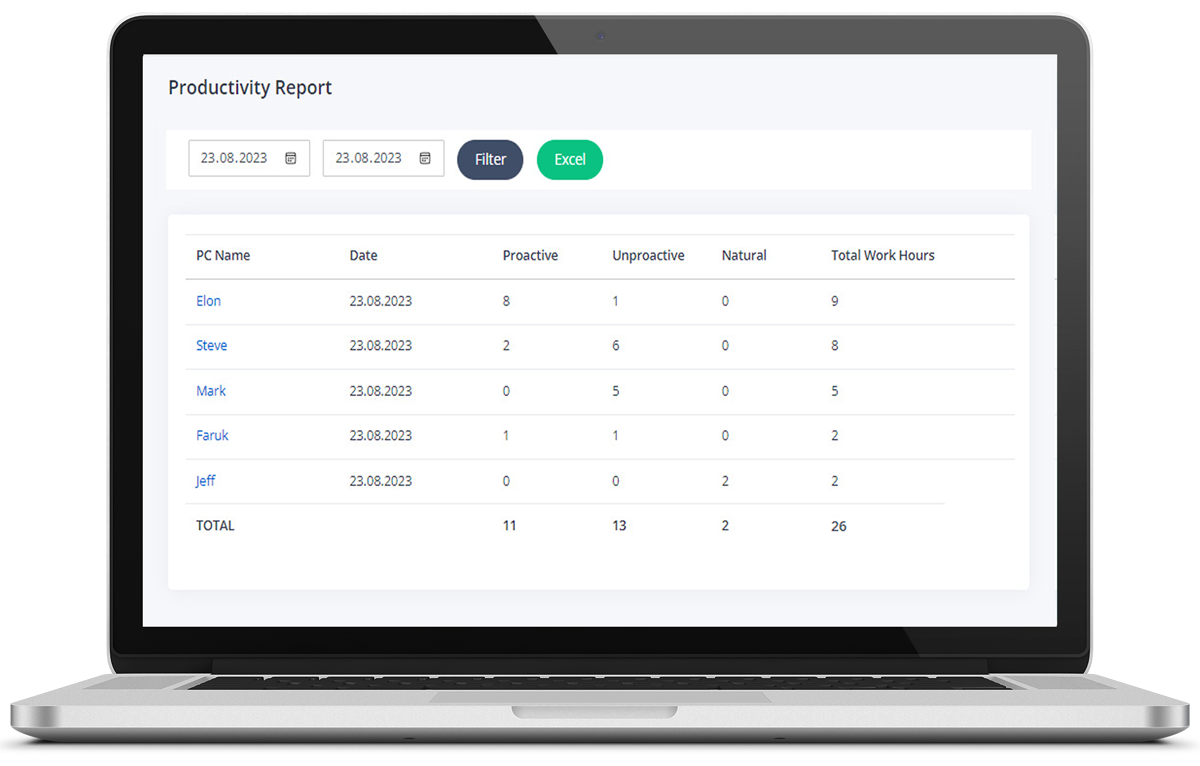
Productivity Reports
With the Productivity Reports, you can easily report the productive, unproductive, neutral and total working hours of your employees in two date ranges
Fully Customizable
Organize your apps based on how you work — productive, unproductive, or neutral. MonitUp will then measure your productivity accordingly.
Regular Updates
The system automatically updates itself when we add a new feature or release improvements for MonitUp. So you can just focus on your work.
Get ready to increase your productivity
Screen Time shows you how much time you spend on your PC and which apps you use the most. It helps you boost your productivity.
You cannot manage what you cannot measure!
Measure your productivity and identify unproductive practices and times.
Get AI Productivity Suggestions!
Based on your computer usage habits, MonitUp offers you AI Productivity Suggestions to be more productive.
Review your day quickly and easily.
With Screen Time, see how much time you spent on each app daily or weekly. Quickly identify if you're spending too much time on certain apps.
Start 7-Day Free Trial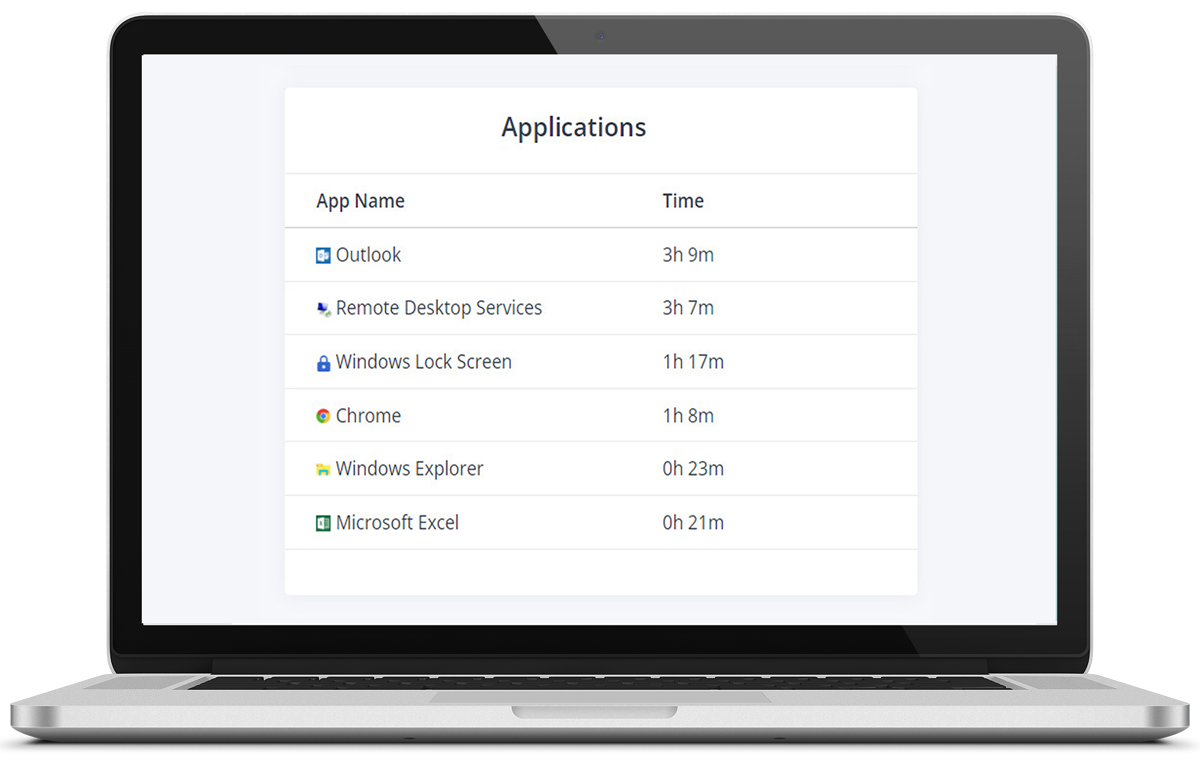
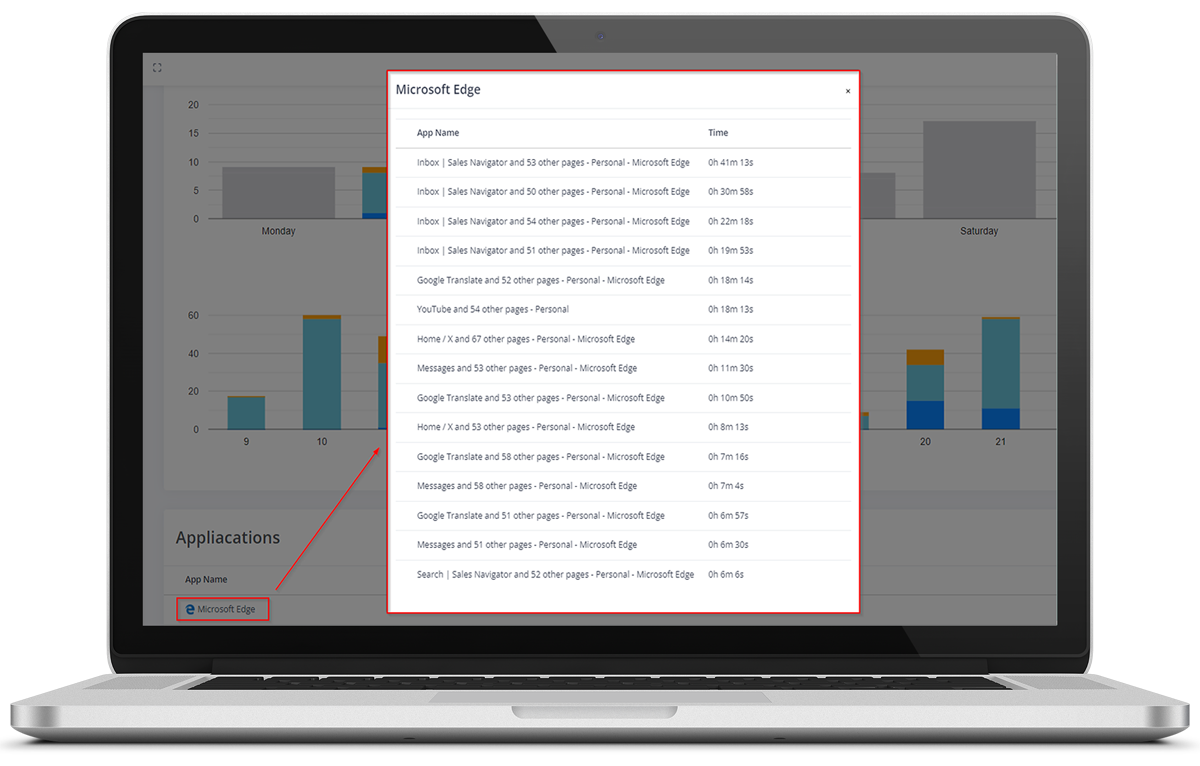
You can track how much time you've spent on which app, website or file in total
Track how much time you spend on each app, website, or file. Screen Time monitors your PC usage and helps you understand your daily habits.
Start 7-Day Free TrialScreen Time for Windows redefines productivity
Screen Time is more than a tool — it’s your personal productivity coach, running in the background to help you work smarter and get more done.
Personal Growth
Screen Time fosters self-awareness and encourages personal growth. Understand how you spend your time and make improvements where necessary.
Reduced Stress
Eliminate the anxiety of missed deadlines and excessive workloads by efficiently managing your time.
How it works.
Download and install Screen Time. It runs in the background and tracks your productivity automatically when your PC is on.
Install the app
Download and install the application. The installation process is very simple.
Focus on your business
MonitUp runs silently in the background and tracks how much time is spent in each app for your work habits and small team visibility.
Enjoy the data!
Monitor your computer usage habits, track your time, monitor your productive and unproductive times, and get AI Productivity Suggestions to be more productive.
Pricing
Track Windows app and website time, understand productivity patterns, and start with a free trial.
Screen Time
Start with a free 7-day trial. 30-day money-back guarantee.
$ 6 / user / mo
App and Website Tracking
AI Productivity Suggestions
Productivity Reports
Productivity Categorization
Silent Background Tracking
Built for Windows
Frequently Asked Questions
Curious about how Screen Time for Windows works and how you can use it to your advantage?
Install Screen Time, sign in, and open your dashboard to see app and website usage by day, week, or month. You can quickly spot where work time goes and which tools take the most attention.
Screen Time securely stores your usage history for up to 365 days, so you can review trends over time and compare work patterns across periods.
Yes. Screen Time works well for focused professionals, freelancers, and small Windows teams that want clearer visibility into work habits and app usage.
Yes. After setup, Screen Time runs silently in the background and captures usage automatically while you work, without interrupting your workflow.
Screen Time covers core app and website visibility. If you need deeper reporting, project-level analysis, or advanced management views, you can upgrade to MonitUp Premium anytime.